Coffee-Machine project retouch using OOP

I am a lover of tech majoring in cloud computing, and exploring emerging opportunities in Web3, Mechine learning and AI.
Feel free to interact with me on anything related to tech 😁
When coding the Coffee Machine in Day 15, I thought of an instance where the user passed an input that was not on the menu or probably even made an error in the spelling. I tried modifying the code severally to print an error that tells the user "invalid input" but all I got were back-to-back errors. I had no luck. I also noticed Angela Yu didn't create an option for that in her solution video. I decided not to total myself on that single instance and move on with my learning as I'll find a solution along the way. Little did I know Day 16 had the solution to my problem. Let's get into it.
When you start learning Python, you are taught "procedural programming" in the first phase. Procedural programming uses a hierarchical system, the top-down approach, which separates variables and functions. Procedural programming is well suited for simpler smaller codes. Everything that has its advantages also has its disadvantages, and a major one is the inability to reuse code throughout the program.
OOP stands for Object Oriented Programming and it solves the issues that are present in Procedural Programming. It is well suited for software that is large, complex, and actively updated or maintained. The building blocks of OOP include classes, objects, methods, and attributes.
Classes are used to create objects,
Objects are made out of attributes and methods,
Attributes represent data around the object e.g name, colour, speed, height, etc
Methods represent functionality (tasks the objects can do).
The coffee machine start code was already given by Angela Yu and I rebuilt the Coffee Machine using it. Click here for the code. She also provided a documentation for the guide so we don't get lost. Truth be told, it took me quite a while to figure it out, but when I finally did, the sense of achievement overwhelmed me and I loved it.
So, here is my code.
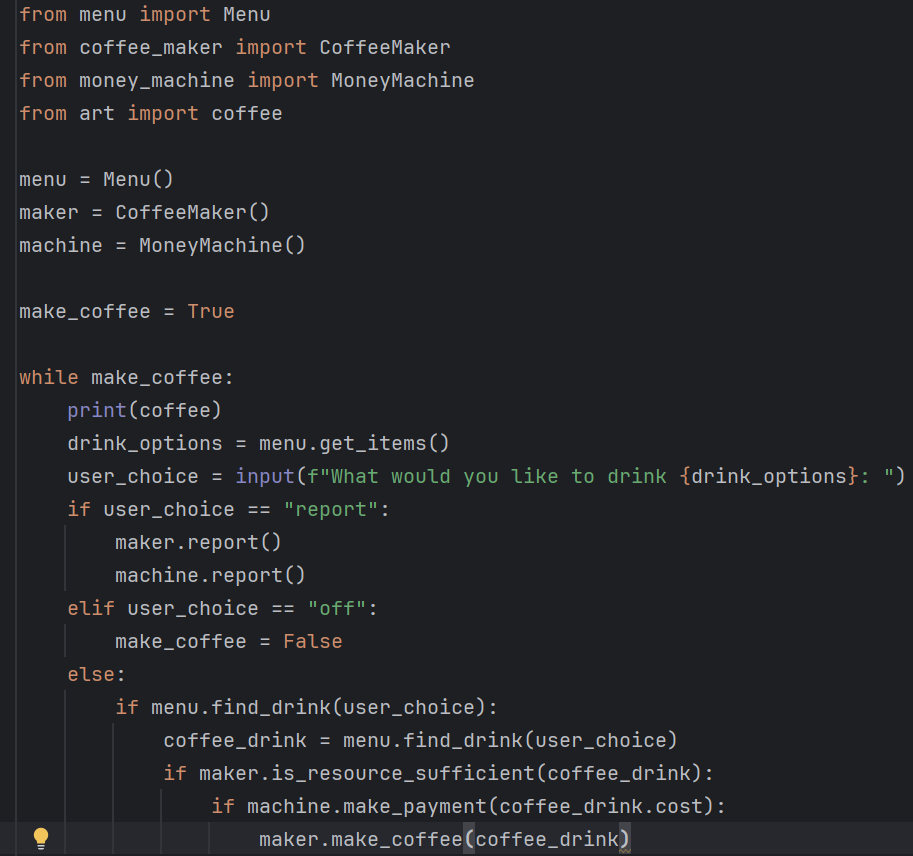
All I did was import the various classes into my main.py file and fly with it. The code reproduces the same output as Day 15 code does, the only major difference is Day 15 was done using Procedural Programming, and Day 16 is done using Object Oriented Programming.
Moving on to the solution to the problem that racked my brain. If you go through the Coffee machine start code that was provided (click here to view), you'll see where the program prints a statement if the input is not in the drink menu. Here's what I get if I pass in a misspelled word "late" instead of "latte" as the user input.
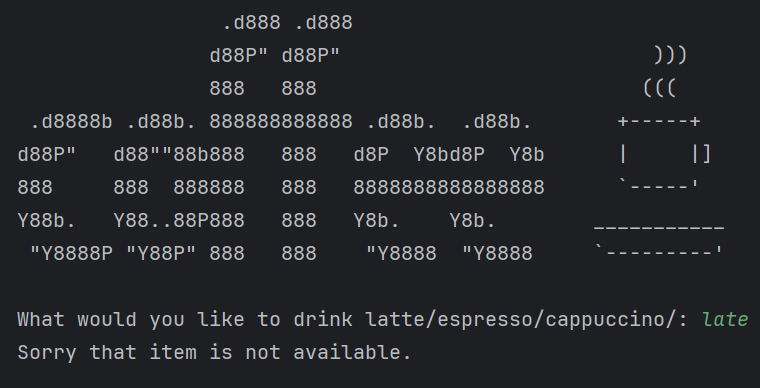
It straight up tells me "Sorry that item is not available" and ends the code.